Public Agent Site.
Your public /a/<slug> site, how inbound leads come in, and public booking.
Your public agent site lives at /a/<your-slug>. It's a standalone page designed to be shared with prospective clients, linked from your social profiles, and indexed by search engines. Every page ListingStack generates here is part of the same system — no separate hosting, no separate domain required.
Already own a domain like www.myrealty.com? We can help you forward it to your ListingStack site, so the address on your signs and business cards keeps working. Send us a message from the Feedback page under Help and we'll walk you through it.
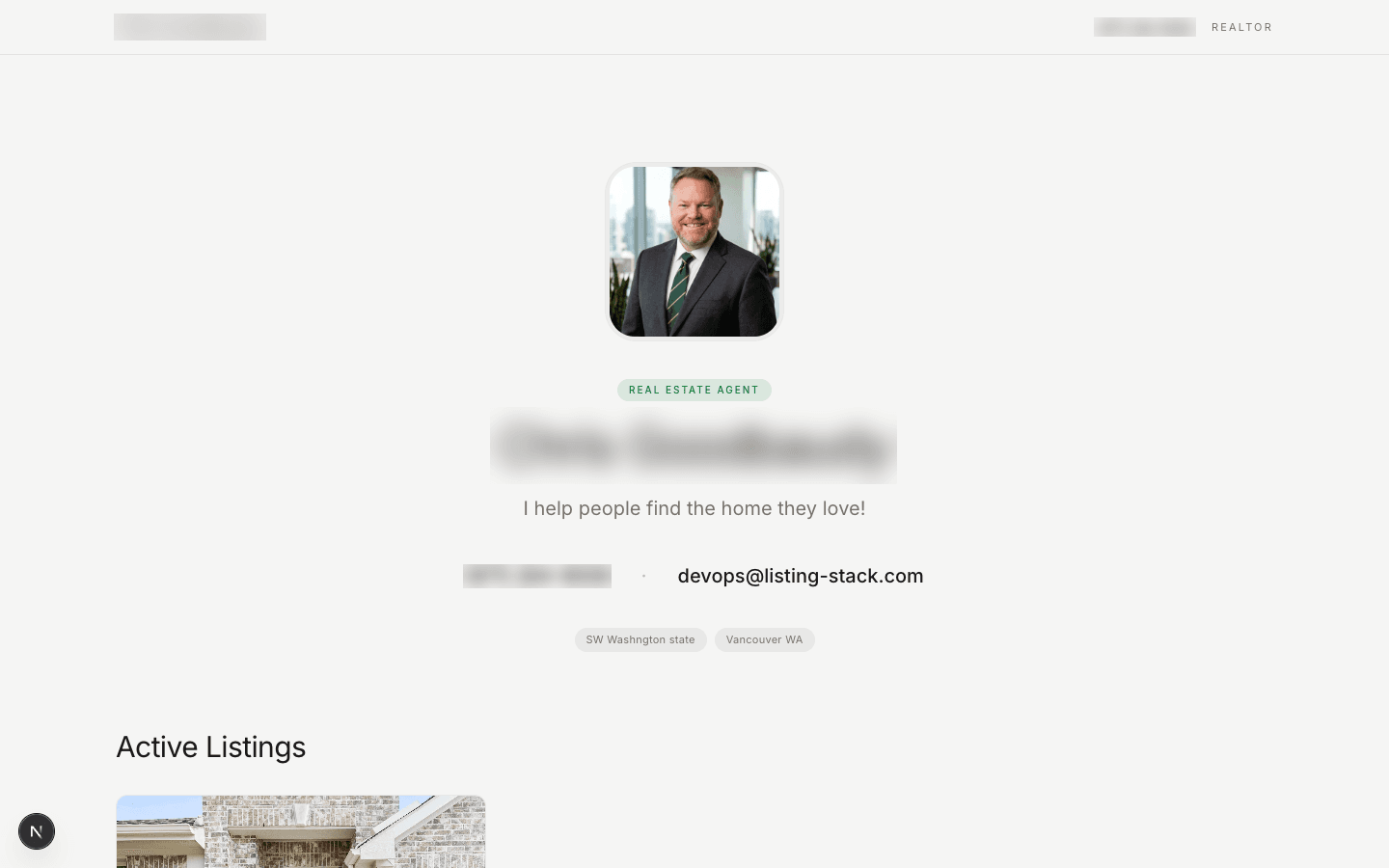
What appears on your site
- Your headshot (uploaded on Profile)
- Your full name and headline
- Your bio
- Icons linking to your social profiles — Instagram, Facebook, LinkedIn, YouTube, TikTok, X, and Zillow, whichever you've filled in on Profile
- Your published active and pending listings
- A contact form that funnels inbound inquiries back into your pipeline
- A Book a call button, if you've turned on public booking — see Public booking in the Calendar guide for how it works
Publishing listings
A listing appears on your public site when both conditions are true:
- Its status is
activeorpending - Its Published to public site toggle is on
Toggling off instantly hides a listing. Status changes (e.g., active → sold) also remove it from the public feed automatically. Individual listing permalinks (/a/<slug>/listing/<id>) remain accessible if you shared them, useful for "just sold" social posts.
The contact form
The contact form on your public site creates a new lead in your pipeline whenever someone submits. If the email is new to you, the form also creates a new contact. If the email matches an existing contact, the submission is attached to them instead of creating a duplicate.
The form captures name, email, phone (optional), and a message. The message becomes the message field on the lead so you have context when you reach out.
This contact form is one of three public lead inlets, alongside open-house QR sign-ins (see the Open Houses guide) and the Book a call widget below.
Booking a call
If you've turned on public booking, a Book a callbutton appears on your site. A visitor who clicks it sees your real open times for the next two weeks, picks one, and confirms with their name, email, and optional phone — no login, no back and forth. Booking creates the appointment straight on your calendar (synced to Google if you're connected), captures the visitor as a lead the same way the contact form does, and emails both of you a confirmation.
Turn it on or off, and set the hours it draws from, in Calendar Settings — see Public booking in the Calendar guide for the full walkthrough.
Notifications
When a new inbound lead arrives via your contact form, ListingStack sends you an email alert and drops a notification into the bell icon at the top of the app. Click the notification to jump straight to the lead.
Views of your site and its listing pages also appear in the Recent activity card on your dashboard; see the Recent Activity guide.
Your slug
Your slug is generated from your name when you sign up (e.g., "jane-doe") and shown on Profile. Slugs are unique across ListingStack. There's no in-app slug editor today — if you need yours changed, contact support so existing links can be handled carefully.
Search visibility
Public agent pages and individual listing permalinks are crawlable — nothing blocks search engines from indexing them. Per-page SEO metadata (a unique <title> and description for each listing) isn't in yet; every /a/<slug> page currently shares the same site-wide title.