Overview.
A quick orientation to ListingStack.
ListingStack is a CRM built for real estate agents who want to spend less time on tooling and more time on relationships. It keeps your contacts, leads, listings, and transactions in one place, and gives you a public agent site and an AI Lead Concierge that funnel inbound leads back into the same pipeline.
The one-minute tour
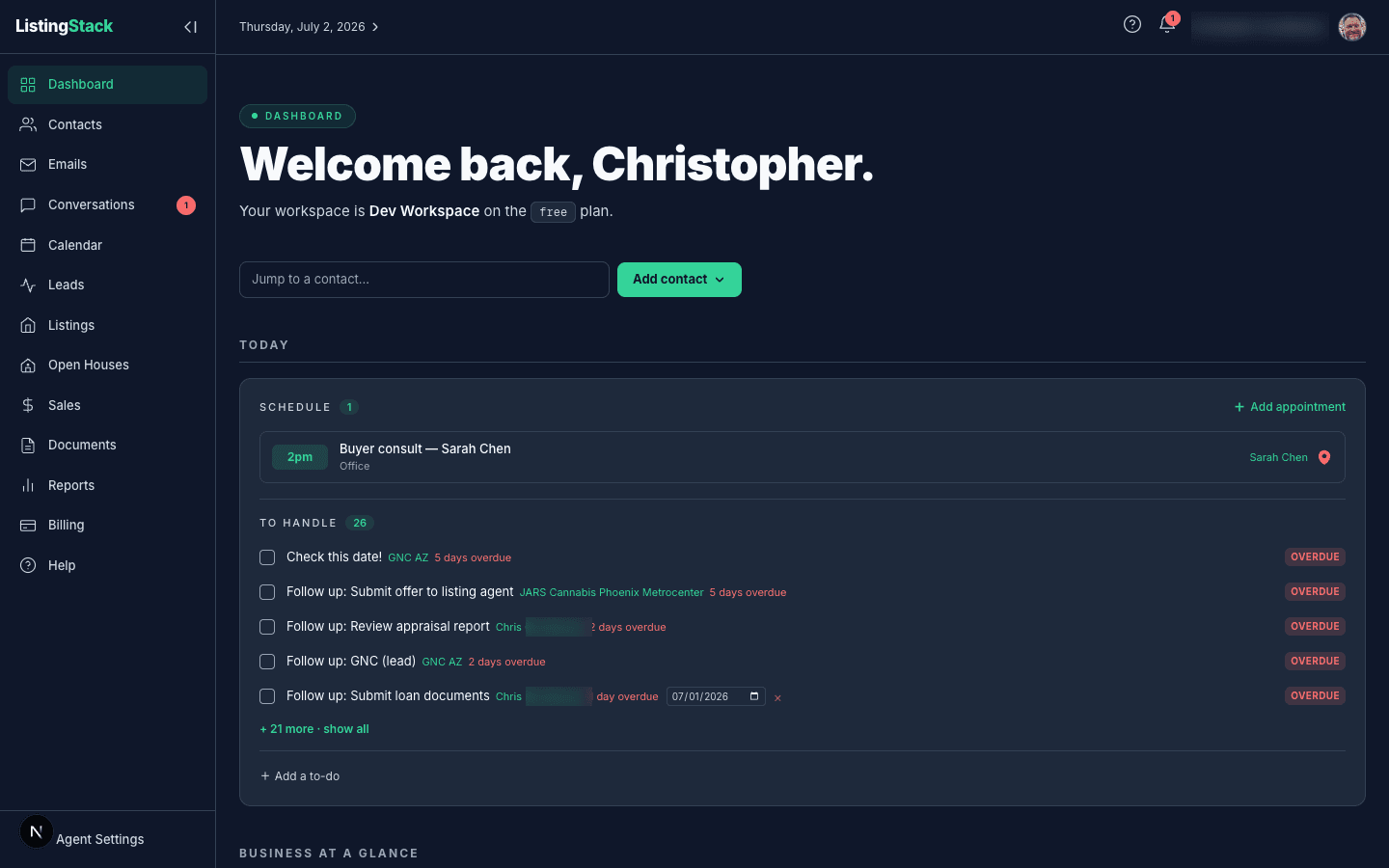
The app is organized around five groups you'll come back to daily:
- Your people — Contacts, Leads, and the AI Lead Concierge that replies to new leads by email on your behalf.
- Your inventory— Listings and Open Houses, the properties you're representing and the events tied to them.
- Your transactions — Sales and Documents, from accepted offer through closing and the paperwork in between.
- Your outreach — Email Marketing and your public agent site, the two channels that bring new leads in and keep past clients warm.
- Your day — the Dashboard, Calendar, and Reports that keep you oriented without digging through every list.
The Dashboard opens with a Today stream — appointments, follow-ups due, sale tasks and pending sale documents with their own deadlines, and to-dos for the day — followed by four metric groups: Pipeline, Leads, Listings, and Audience, each with a headline number and a link into the page behind it.
Two things help you get around and get set up: press Cmd/Ctrl+Kanywhere to search contacts, leads, listings, sales, templates, and open houses at once, and the dashboard's Getting set up card tracks your onboarding progress automatically. See Getting Started for both.
Where to start
- Getting Started — finish your profile, upload a photo, and get oriented in the app.
- Contacts — get your rolodex in, either one at a time or via CSV import.
- Listings and Public Site — add your first listing and turn on your agent site to start capturing inbound leads.
- Leads and AI Lead Concierge — see how inbound leads land in your pipeline and how the concierge follows up automatically.
- Sales and Documents — once a lead goes under contract, track the sale and share paperwork from one place.
- Email Marketing — set up your drip schedule and enroll your past clients and sphere.