Listings.
Add properties, upload photos, and publish to your public site.
Your listings are the properties you're representing. They live in ListingStack, can be published to your public agent site, and can be attached to sales when something goes under contract.
Adding a listing
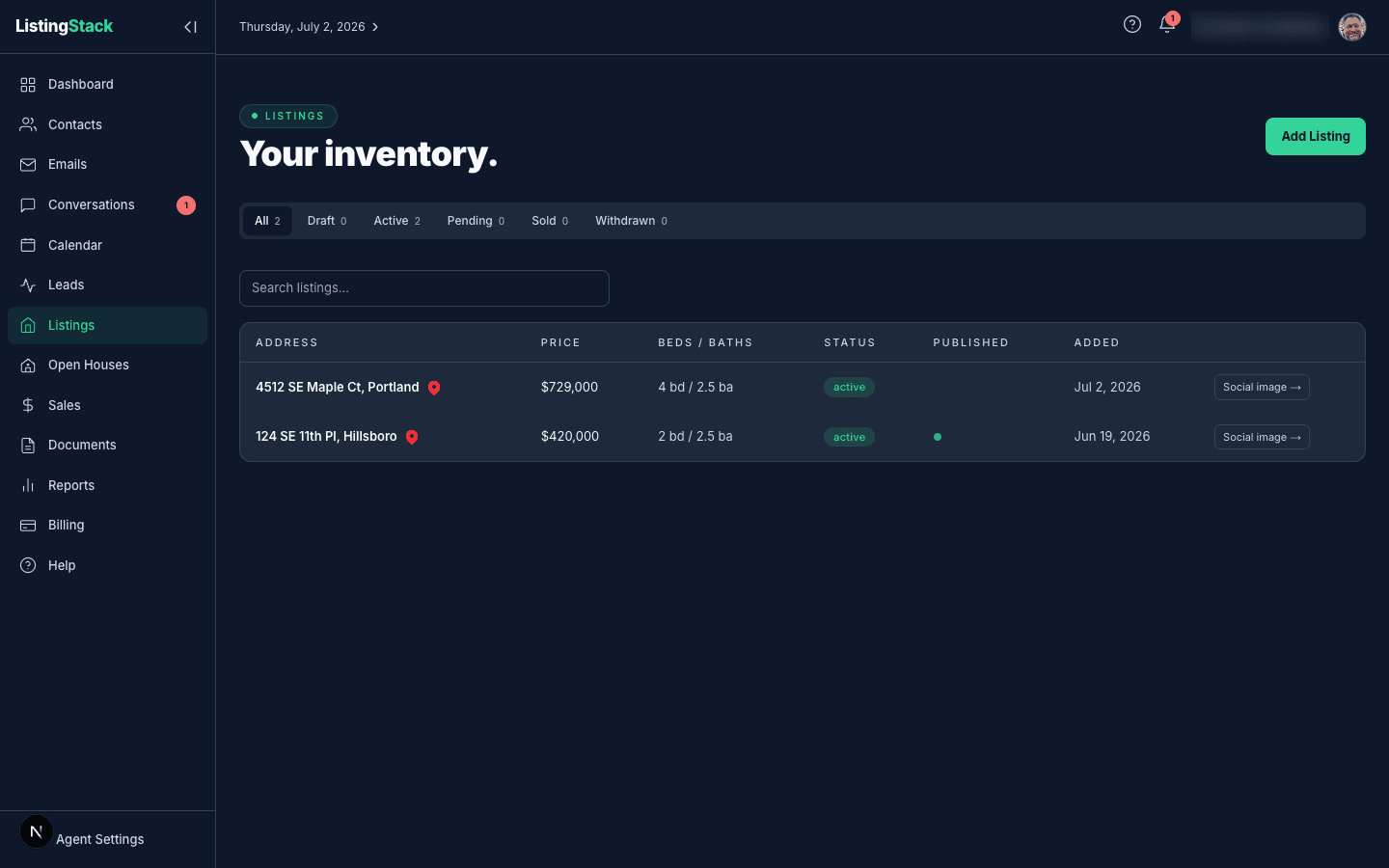
From Listings, click Add Listing. The form covers the essentials — address, price, beds/baths/sqft, property type, listing type (for sale vs. for rent), and a description. MLS number is optional.
Under Links & MLS you can also add an optional Listing URL— a link to this listing on Zillow, Redfin, or your MLS/IDX site. Once set, it shows as a clickable link on the listing's detail page.
Listing status
A listing moves through these statuses:
- draft — you're still setting it up; hidden from your public site
- active — on the market
- pending — under contract, not yet closed
- sold — closed
- withdrawn — taken off market without closing
Only active and pending listings appear on your public site (and only if Published to public site is on for that listing). Draft, sold, and withdrawn stay private.
Uploading photos
On the listing detail page, use the photo uploader to add images. You can drag-and-drop multiple files at once, reorder by dragging, and remove by clicking the × on a photo. The first photo is the hero used on your public site's listing card.
Large files are resized and compressed before upload, so you don't need to worry about optimizing images yourself. Supported formats: JPG, PNG, WebP.
Publishing to your public site
Toggle Published to public site on a listing to include it in your public agent site at /a/<your-slug>. Unpublishing hides it immediately. Even while published, only active/pending listings show up — a published sold listing stays hidden until a buyer hits the listing's permalink directly (useful for sharing recent closings in post-sale emails).
Sellers & interested buyers
Link contacts to a listing from its detail page. The Seller(s)card attaches whoever you're representing — linking a seller doesn't create a lead. The Interested Buyers card attaches anyone shopping the property, and linking a buyer contact there creates a qualified lead tied to the listing.
Click Link seller or Link contact to pick from your existing contacts. Unlinking someone later never deletes the lead it created.
Creating a social image to share
Click Create social imageon a listing's detail page to build a branded flyer — choose Just Listed, Just Sold, or Open House mode, and the builder fills in the photo, price, and your agent details. Saving publishes a public share page at /s/<token> carrying an og:image version of the flyer, so the link previews correctly when pasted into Facebook, LinkedIn, or X.
Sharing is image-only — ListingStack doesn't post to any social network for you. Download the image and copy the caption (or use your phone's native share sheet), then post it yourself wherever you'd like.
Every share, download, and copy action is logged and rolls into the listing's Seller Marketing Dashboard as the Social shares stat, broken down by platform.
Printing a flyer
Click Generate flyer next to Create social imageon a listing's detail page for a letter-size flyer with the listing's hero photo, price, specs, and description, plus a QR code linking to the listing's public share page. The banner at the top reflects the listing's status — For Sale, Pending, Sold, or Coming Soon. It's built to print directly from the browser, the same as the open house flyer.
Writing marketing copy with AI
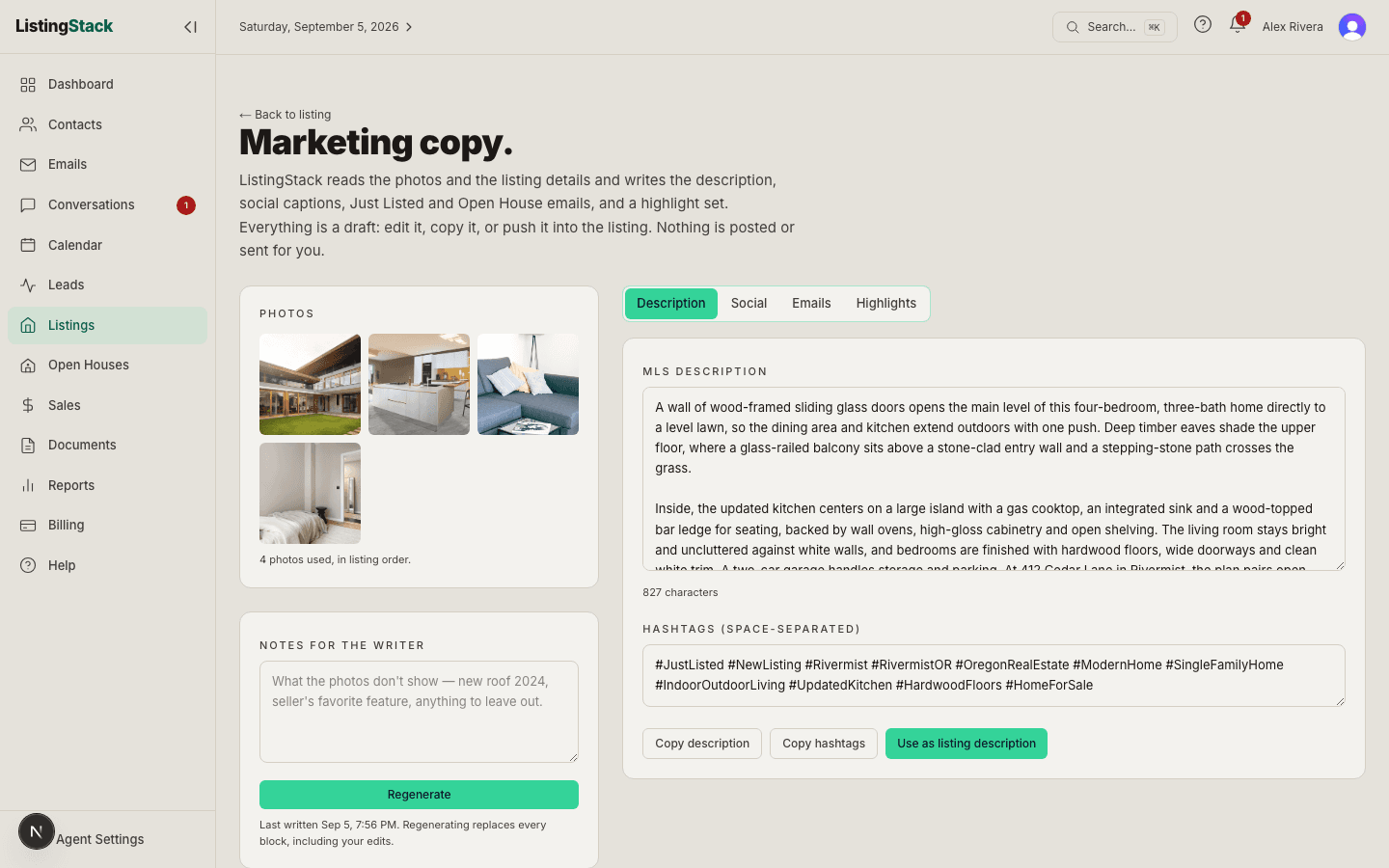
Click Write marketing copy on a listing's detail page (next to Create social image and Generate flyer). ListingStack reads the first twelve photos plus the price, beds, baths, square footage, features, and anything you add under Notes for the writer, and writes four things: an MLS-ready description with a hashtag set, Instagram, Facebook, and LinkedIn captions, Just Listed and Open House email drafts, and a headline, tagline, and feature bullets. It usually takes under a minute and can take up to two; a progress bar shows where the writer is, and you can leave the page — the copy is saved to the listing when it finishes.
Everything is a draft. Edit any block in place (it saves as you go), Copy it, or push it where it belongs: Use as listing description writes it onto the listing, the flyer, and your public listing page; Open in composer drops an email into the custom composer where you pick who receives it; Add bullets to featuresmerges them into the listing's Features; the social image builder offers each caption above its caption box. The headline and tagline appear on the printed flyer and the public listing page.
The writer describes the property, never a buyer, and follows Fair Housing language rules — you'll see “primary bedroom,” never “master,” and nothing about who a home is “perfect for.” It only writes what the photos show or the listing states, so if the roof is new, say so in the notes. If no open house is scheduled yet, the Open House email carries placeholders for the date and time. Each listing can be regenerated up to ten times a day, and nothing is posted or sent for you.
Putting a listing in your drip emails
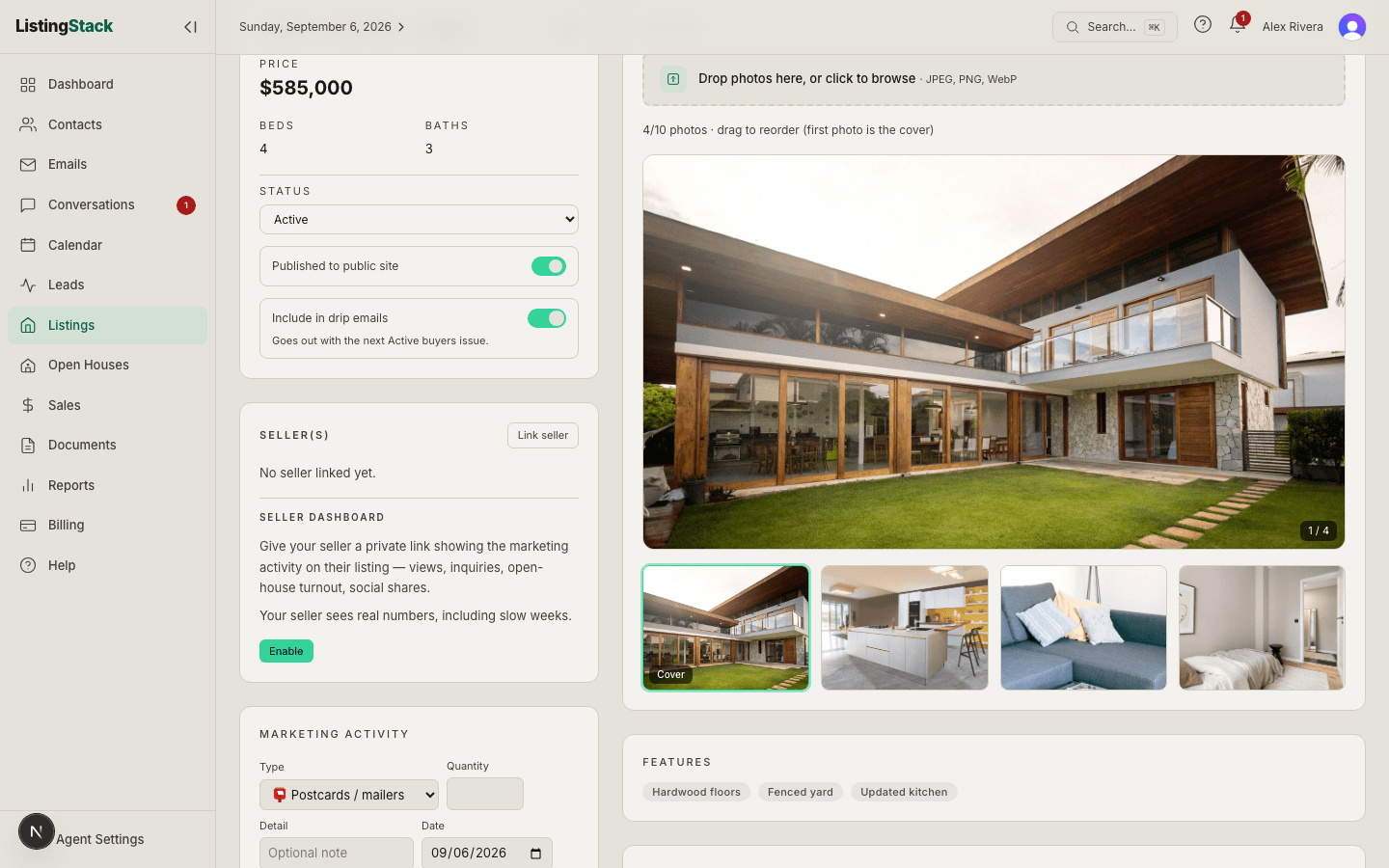
Every listing has an Include in drip emailsswitch in its status card, right under Published to public site. Switch it on and the listing goes out once, in the next drip issue for each audience group you've opted in, whether that issue goes out on its schedule or you send it now. It rides along as a card with the first photo, address, city, price, beds, baths, square feet, and a View listing link. It only goes out while the listing is Active, and never more than once to the same group. Up to 6 listings ride along in one issue; more than that wait for the following issue. Switch it off and it stops going into any emails that haven't been sent yet.
The line under the switch tells you what will happen: which groups it's waiting on, which groups it has already gone to and when, or what's holding it up (no groups chosen yet, or automated emails turned off). Which groups receive listings is set per group on the Compose page under Your automated drip emails; Active buyers is on by default.
Documents on a listing
Listings have their own document vault. Upload disclosures, seller's docs, marketing materials — anything tied to the property rather than a specific transaction. Listing documents are distinct from sale documents: sale documents travel with the sale and cover the transaction lifecycle.
The same Documents card also holds generated documents— template-based documents you've filled in for this listing, like a listing agreement. Each one moves through Draft → Sent for signature → Executed; reopen a generated document any time to keep editing it, or rename or delete it. See the Documents guide for how templates and generation work.
Until an executed listing agreement is on file for a listing, its detail page shows a banner reminding you to generate one and upload the signed copy.
Scheduling an open house
Open houses are scheduled separately from the listing itself. Go to Open Houses and click New open house, then pick this listing from the dropdown along with a start and end time. Once created, the open house gets its own public QR sign-in page and visitor list. See the Open Houses page of this guide for the full walkthrough.
Seller Marketing Dashboard
Give your seller a private, no-login link to their listing's marketing activity. From the Seller Dashboard section of the Seller(s) card on the listing detail page, click Enable to turn on /seller/<token>, then use the Actions menu to Copy link, Preview it yourself, Regenerate a fresh link (the old one stops working), or Disable it.
The same menu can send the link straight to your seller: Text to seller opens your phone's messaging app with the link pre-filled, and Email to selleropens ListingStack's in-app compose, prefilled, when a seller contact with an email address is linked to the listing.
The dashboard itself shows page views, inquiries received, open-house visitors, social shares, and a milestone timeline — counts only. No client names, emails, or other contact info are ever exposed to the seller.
When your seller opens their dashboard, that shows up in the Recent activitycard on your own dashboard, so you know they're keeping an eye on things. See the Recent Activity guide.
Listings on the dashboard
The Active listings card on the dashboard counts listings with statusactive and shows your total inventory value (the sum of their list prices) as the hint. Click the card to jump to the list.
draft first gives you a place to collect photos and polish the description before it hits your public site. Flip to activewhen you're ready.