Open Houses.
Schedule open houses, print QR flyers, and capture visitors as leads.
Open houses turn foot traffic into leads. Each one gets a public QR sign-in page, a printable flyer, and a visitor list that's wired straight into your contacts and leads — no re-typing a paper sign-in sheet after the fact.
Scheduling an open house
From Open Houses, click New open house. Choose the listing it's for, and set a start and end time. You can also choose which sign-in fields to ask for beyond name (email, phone, whether they're working with an agent, interest, pre-approval, timeframe, how they heard about it, and comments) and whether to send visitors a thank-you email.
An open house moves through these statuses:
- scheduled — created, start time hasn't arrived yet
- active — underway
- ended — past its end time
- cancelled — called off; the record and any sign-ins already collected are kept, just marked cancelled
From the Open Houses list, click Cancel on a scheduled or active open house to cancel it. Cancelled open houses collapse into a separate section at the bottom of the list.
QR sign-in
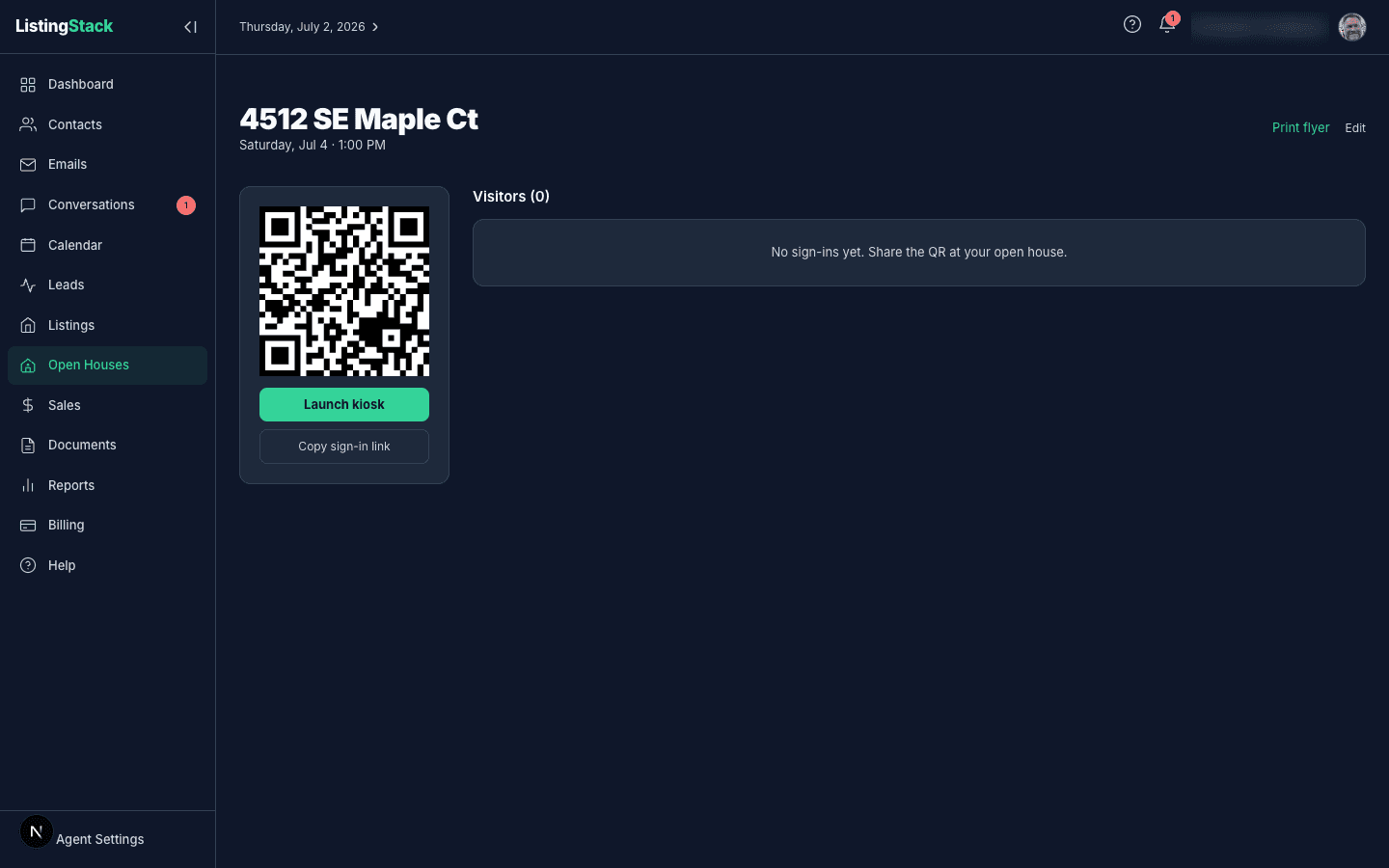
Every open house gets its own public sign-in page at /oh/<token>— no login required. The open house's detail page shows a QR code for it, plus two shortcuts:
- Launch kiosk — opens the sign-in page in kiosk mode, which clears the form and resets itself a few seconds after each sign-in so you can hand a tablet to visitors and let them queue up on their own.
- Copy sign-in link— copies the same URL to text or share directly, for visitors who'd rather sign in on their own phone.
Visitors scan the code (or open the copied link), fill in the fields you configured, and submit. If the listing is published on your public site, they get a link to the full listing details after signing in.
What a sign-in creates
Each sign-in is matched to an existing contact by email, then by phone, or a new contact is created if neither matches. A lead is created and linked to the listing, with the source set to Open house. All of the visitor's answers (working with an agent, interest, pre-approval, timeframe, how they heard, comments) are saved to that lead and contact record, but the visitor list on the open house's detail page only shows interest and working with an agent next to each name — open the linked contact to see the rest of what they submitted.
If you turned on the thank-you email when scheduling, visitors who gave an email address get it right after signing in — either your custom message or a default one. If a visitor qualifies for the AI Lead Concierge, they're enrolled the same way a lead from your public site would be. Neither the thank-you email nor concierge enrollment blocks the sign-in itself — if either fails, the visitor's sign-in is still saved.
Print flyer
From the open house's detail page, click Print flyerfor a letter-size flyer with the listing's hero photo, price, specs, and description, plus the same QR code visitors can scan to sign in on-site. It's built to print directly from the browser — no separate design step.
Visitor list & thank-you message
The detail page lists everyone who's signed in, with their interest and working-with-an-agent answers shown inline and a link to their contact record when one exists. Export the list to CSV any time with Export CSV.
The sign-in fields and thank-you message aren't locked in at creation — open the open house and click Edit to change which fields are asked, toggle the thank-you email on or off, or update its custom message.
Visitor counts also roll up into the listing's Seller Marketing Dashboard, which shows an "Open-house visitors" total plus a per-date breakdown once you share that link with your seller.